
Laplacian and Distance Transformation Operators in OpenCV
We offer you a brighter future with placement-ready courses - Start Now!!
In this article, we’ll be understanding the two transformation operators present in the OpenCV library. We’ll learn about the Laplacian operator and Distance transformation operator used for image preprocessing in computer vision applications. The Laplacian operator is a second derivative operator and is used to highlights regions of intensity change in an image and is used for edge detection. The distance transform operator provides a measure of the separation of pixels in the image.
Laplacian operator in OpenCV
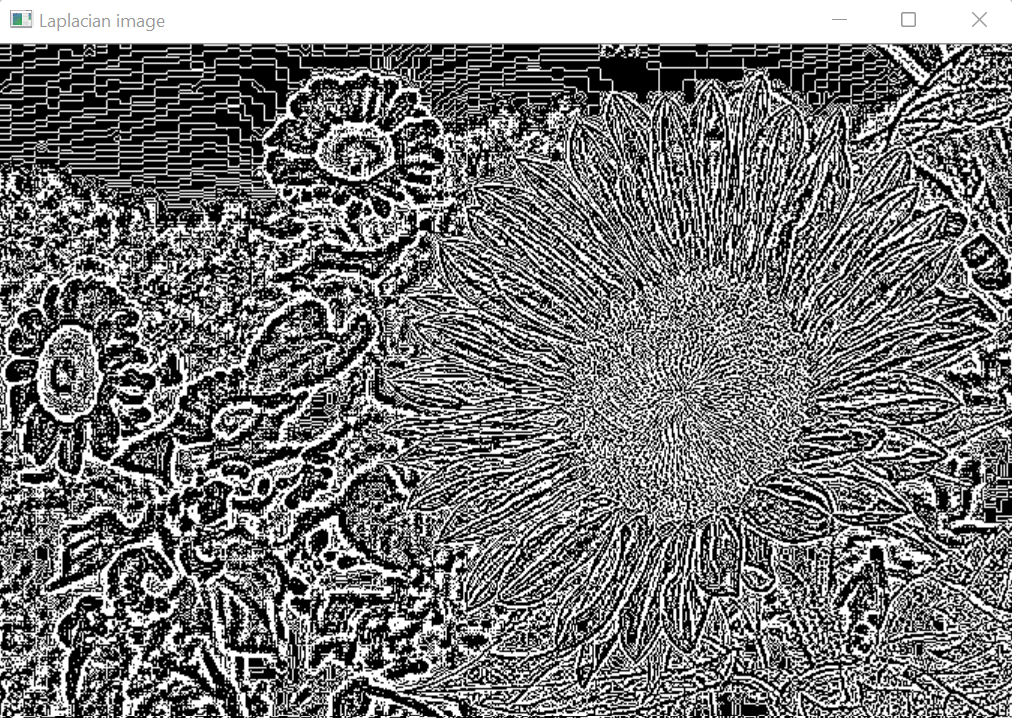
The Laplacian Operator in OpenCV is the derivative operator used to find edges in an image. It computes the second order derivatives i.e. it measures the rate of change of first-order derivatives. This helps to classify the change in pixel values from edges and continuous progressions.
It can be termed as a second-order derivative mask, which can further be classified as Positive Laplacian Operator and Negative Laplacian Operator.
The first-order filters detect edges based on local maxima or minima while the Laplacian operator detects the edges at the point of inflection, where the value changes from negative to positive and vice-versa.
Laplacian operator classifies edges into inward edges and outward edges. It internally calls the Sobel operator to perform its computation. The Laplacian of an image is calculated by adding the second-order x and y derivatives computed using the Sobel Operator.
In OpenCV, a Laplacian transformation operation is performed using the Laplacian() method.
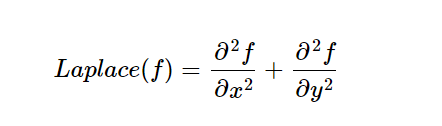
Mathematically, the Laplacian operator can be denoted as
Syntax of OpenCv Laplacain Operator
cv2.Laplacian(src, dst, ddepth, ksize, scale, delta, borderType)
Parameters of OpenCv Laplacain Operator
- src: Source image or input image
- dst: Output image
- ddepth: Depth of the output image
- ksize: Specified size of the kernel. The size of the kernel must be positive and odd.
- scale: Optional scale factor
- delta: Optional delta value
- borderType: Type of border
Properties of the Laplacian Operator
1. First-order filters require two masks for edge detection while Laplacian requires a single mask but the information regarding edge orientation is discarded.
2. It provides enhanced edge localization.
3. It is an isotropic filter. It applies in equal magnitude for all directions.
4. This operator is sensitive to noise
Implementation of OpenCV Laplacian Operation
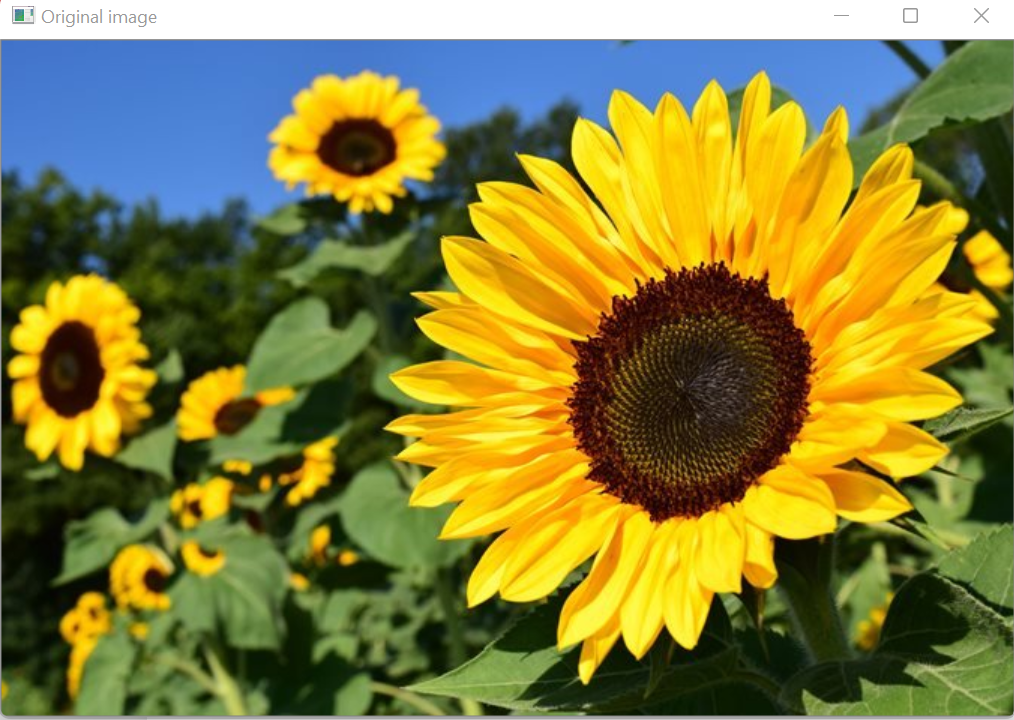
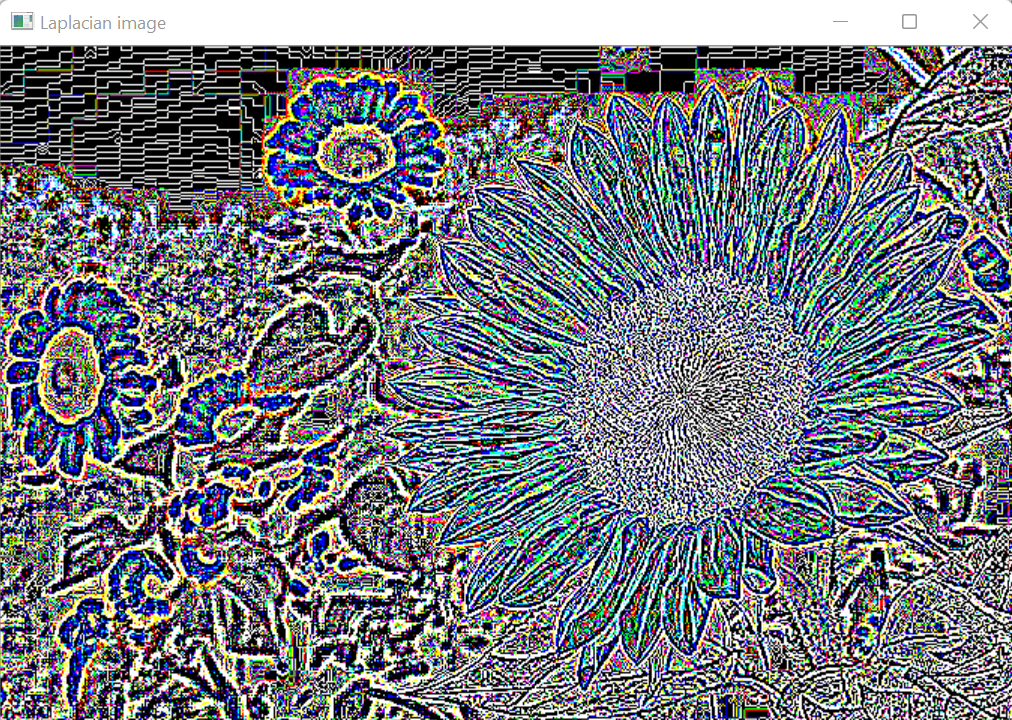
1. Laplacian operator on color image
# Importing OpenCV
import cv2

# Reading the image in color mode by setting the flag as 1
img = cv2.imread(r'C:\Users\tushi\Downloads\PythonGeeks\flower.jpg', 1)

#Laplace derivative gradient
#Here we don’t need to specify the x and y derivative as it will perform edge detection in both x and y-direction
laplacian = cv2.Laplacian(img,cv2.CV_64F)

# Displaying original image
cv2.imshow('Original image', img)

# Displaying Laplacian image
cv2.imshow('Laplacian image', laplacian)
cv2.waitKey(0)
cv2.destroyAllWindows()
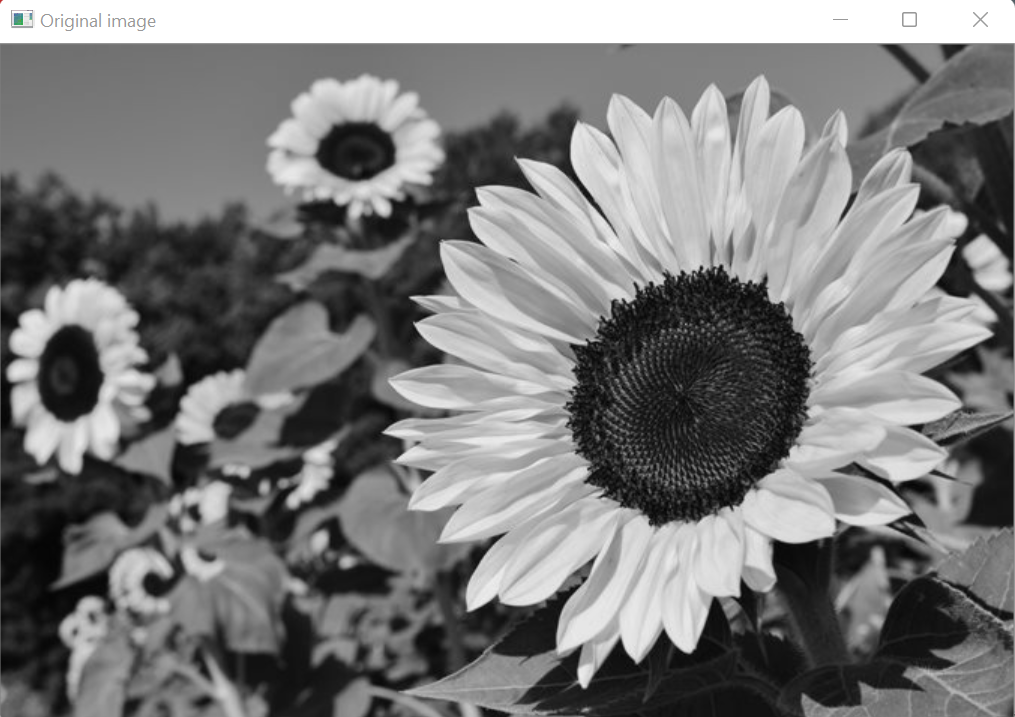
2. Laplacian operator on Grayscale image
# Importing OpenCV
import cv2

# Reading the image in grayscale mode by setting the flag as 0
img = cv2.imread(r'C:\Users\tushi\Downloads\PythonGeeks\flower.jpg', 0)

#Laplace derivative gradient
#Here we don’t need to specify the x and y derivative as it will perform edge detection on both x and y direction
laplacian = cv2.Laplacian(img,cv2.CV_64F)

# Displaying original image
cv2.imshow('Original image', img)

# Displaying Laplacian image
cv2.imshow('Laplacian image', laplacian)
cv2.waitKey(0)
cv2.destroyAllWindows()
Distance transformation Operator in OpenCV
The distance transformation operator in OpenCV computes the distance to the closest zero pixel for each pixel in the source image. The approximate distance from every binary image pixel to the nearest zero pixel is calculated. Distance Transformation can be regarded as a way of blurring feature locations geometrically and allowing image effects like skeletonizing, image matching, object recognition, path planning, and navigation.
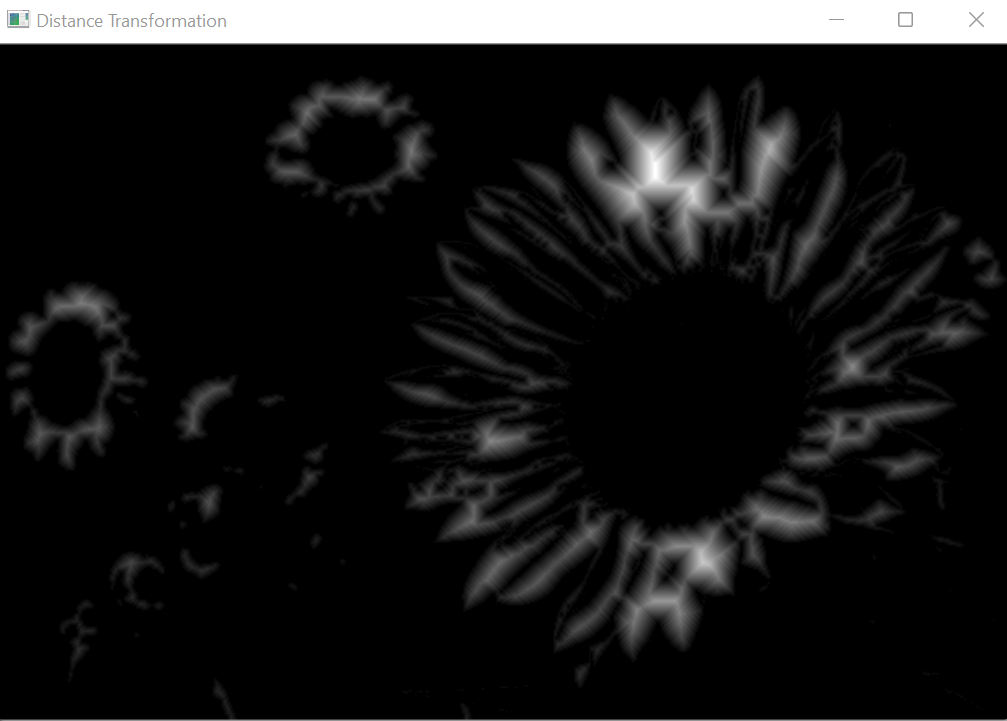
It generally takes binary images as inputs. The gray level intensities of the points inside the foreground regions are changed according to their respective distances from the closest zero pixels. The distance transform operator is applied to binary images. This results in a gray level image with the gray level intensities of points inside foreground regions changed to show the distance to the closest boundary from each point.
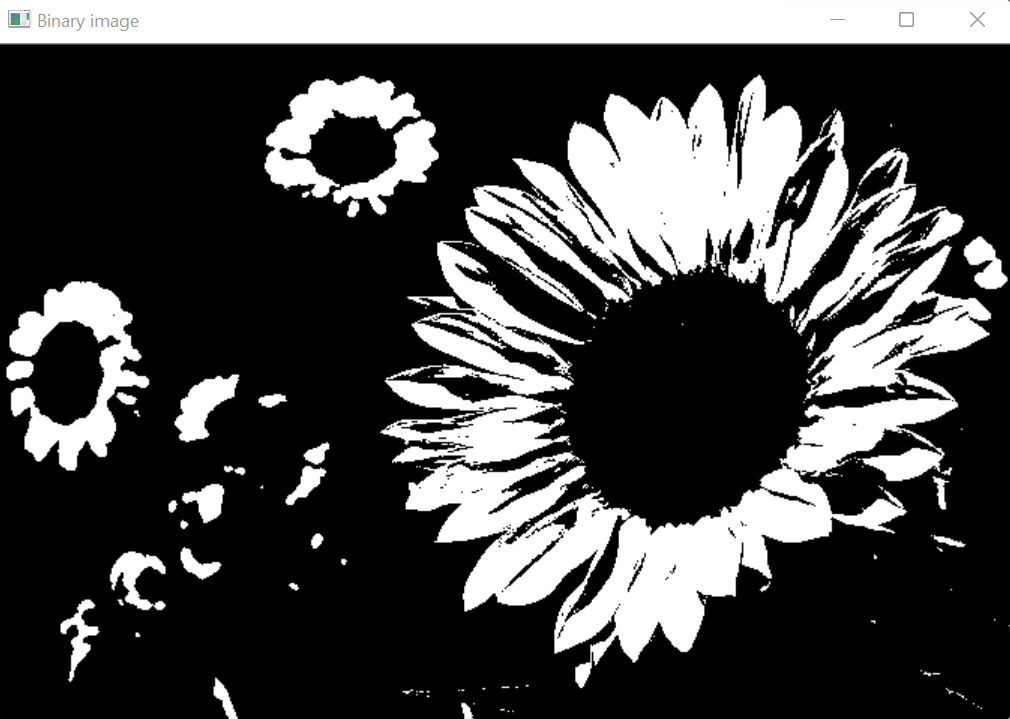
To apply a distance transformation operator to an image, we usually convert our input image to grayscale color space if it has not already been read in that mode. Further, the image is thresholded to convert the image from grayscale to binary as distance transform operation takes binary images as input.
After applying the Distance transformation on an image, the values of the pixels are normalized. Normalization can be defined in many ways. Normalization usually refers to standardizing the values or adjusting values measured on different scales to a common scale. These processes are followed to get a transformed output image.
Syntax of OpenCV Distance Transformation Operator
cv2.distanceTransform(src, dst, distanceType, maskSize)
Parameters of OpenCV Distance Transformation Operator
- scr: Source image or input image
- dst: Output image
- distanceType: Type of distance to be calculated
- maskSize: Mask size of distance transformation
The following are the types of distances that can be computed for the distance transformation operation:
| DIST_USER
Python: cv2.DIST_USER |
User defined distance |
| DIST_L1
Python: cv2.DIST_L1 |
Distance = |x1-x2| + |y1-y2| |
| DIST_L2
Python: cv2.DIST_L2 |
The simplest Euclidean distance |
| DIST_C
Python: cv2.DIST_C |
Distance = max(|x1-x2|, |y1-y2|) |
| DIST_L12
Python: cv2.DIST_L12 |
L1-L2 metric: Distance= 2(sqrt(1+x*x/2)-1)) |
| DIST_FAIR
Python: cv2.DIST_FAIR |
Distance = c^2(|x|/c-log(1+|x|/c)), c = 1.3998 |
| DIST_WELSCH
Python: cv2.DIST_WELSCH |
Distance = c^2/2(1-exp(-(x/c)^2)), c = 2.9846 |
| DIST_HUBER
Python: cv2.DIST_HUBER |
Distance = |x|<c? x^2/2: c(|x|-c/2), c = 1.345 |
Properties of Distance transform operator in OpenCV
1. The distance transform operator is very sensitive to small changes in the image.
2. The distance transform operator is very sensitive to noise.
OpenCV Distance transform operator Implementation
# Importing OpenCV
import cv2

# Importing matplotlib.pyplot
import matplotlib.pyplot as plt

# Reading the image in grayscale mode by setting the flag as 0
img = cv2.imread(r'C:\Users\tushi\Downloads\PythonGeeks\flower.jpg', 0)

# Converting the image to binary image
(thresh, binary_image) = cv2.threshold(img, 175, 255, cv2.THRESH_BINARY)

# Applying the distance transformation and normalizing the image
transformed = cv2.distanceTransform(binary_image, cv2.DIST_C, 3)
transformed = cv2.normalize(transformed,transformed, 0, 1.0, cv2.NORM_MINMAX)

# Displaying original image
cv2.imshow('Original image', img)

# Displaying the binary image
cv2.imshow('Binary image', binary_image)

# Displaying distance transformed image
cv2.imshow('Distance Transformation', transformed)
cv2.waitKey(0)
cv2.destroyAllWindows()
Conclusion
In this article, we learned about the transformation operators in OpenCV. We learned about the Laplacian operator and Distance transformation. We also studied their properties and understood the implementation of these operators.
