
College Festival Organiser using Python Django
Boost Your Career with Our Placement-ready Courses – ENroll Now
The College Festival Organiser is a web-based application developed using Django, designed to manage and organise college events. This system provides a platform for event creation, registration, and viewing. It streamlines event management, enabling users to manage festival details and registrations efficiently.
About the Django College Festival Organiser Project
The College Festival Organiser aims to simplify the process of organising and managing college events. The application includes features for creating and managing events. It affects ease of use, effective event tracking, and responsiveness.
Objectives of the Django College Festival Organiser
- Develop a user-friendly interface for creating and managing college events.
- Implement functionality to register attendees for events.
- Provide administrators with the ability to view and manage event details.
Project Setup
Required Libraries
The project requires the following Python libraries:
- Django: For a web framework and ORM.
- SQLite: For database management.
- Bootstrap: For responsive design and styling.
Technology Stack
- Python
- Django
- SQLite (default database)
- HTML/CSS
- Bootstrap
Prerequisites for Django College Festival Organiser
- Basic understanding of Python programming.
- Familiarity with the Django framework.
- Knowledge of HTML/CSS for template design.
Download the Python Django College Festival Organiser Project
Please download the source code of the Django College Festival Organiser Project: Python Django College Festival Organiser Project Code.
Step-by-Step Code Implementation of Django College Festival Organiser
Project Initialisation
- The first command initialises a new Django project named college_festival_organizer.
- The second command changes the directory to the project folder.
- The third command initialises a new Django app named festival in the same directory. It establishes the project’s basic structure.
django-admin startproject college_festival_organizer
cd college_festival_organizer
python manage.py startapp festival
Setting Up Models
- The Fest_Event model is defined with fields for title, description, date, time, location, and organiser
- This model establishes a foreign key relationship between Event and Django’s User model, linking each event to an organiser.
- The __str__ method returns the event’s title as a string representation.
- The Event model captures essential details for scheduling and organising events.
from django.db import models
from django.contrib.auth.models import User


class Fest_Event(models.Model):
   title = models.CharField(max_length=200)
   description = models.TextField()
   date = models.DateField()
   time = models.TimeField()
   location = models.CharField(max_length=200)
   organizer = models.ForeignKey(User, on_delete=models.CASCADE)

   def __str__(self):
       return self.title
Making Migrations
- makemigrations: Makes migrations based on the changes detected in the models. Migrations are how Django stores changes to the models.
- migrate: This command applies the migrations to the database, creating the tables and columns.
python3 manage.py makemigrations festival
python3 manage.py migrate
Defining Views
- list_events View: It fetches all Event objects from the database and renders them using the event_list.html template.
- event_details View: Fetches a specific Event by its ID and checks whether the current user is registered for it.
- register_event View: This view allows logged-in users to register for an event. It creates a Registration entry linking the user and the event.
- create_new_event View: It handles the creation of new events. It saves a new Event with the current user as the organizer if the form is valid.
from django.shortcuts import render, redirect, get_object_or_404
from .models import Fest_Event, Registration
from .forms import EventForm, RegistrationForm
from django.contrib.auth.decorators import login_required


def list_events(request):
   events = Fest_Event.objects.all()
   return render(request, 'festival/event_list.html', {'events': events})


def event_details(request, event_id):
   event = get_object_or_404(Fest_Event, id=event_id)
   registered = Registration.objects.filter(user=request.user, event=event).exists()
   return render(request, 'festival/event_detail.html', {'event': event, 'registered': registered})


@login_required
def register_event(request, event_id):
   event = get_object_or_404(Fest_Event, id=event_id)
   Registration.objects.get_or_create(user=request.user, event=event)
   return redirect('event_detail', event_id=event.id)


@login_required
def create_new_event(request):
   if request.method == 'POST':
       form = EventForm(request.POST)
       if form.is_valid():
           event = form.save(commit=False)
           event.organizer = request.user
           event.save()
           return redirect('list_events')
   else:
       form = EventForm()
   return render(request, 'festival/event_form.html', {'form': form})


@login_required
def event_schedule_list(request):
   events = Fest_Event.objects.all()
   return render(request, 'festival/schedule.html', {'events': events})
Setting URLs
- The path(‘ ‘) maps the root URL to the event_list view, which displays a list of all events.
- The path(‘event/<int:event_id>/’) routes URLs with an event ID to the event_detail view, showing details for a specific event.
- The path(‘event/<int:event_id>/register/’) handles URLs for event registration by ID, invoking the register_for_event view to allow users to register for the event.
- The path(‘event/create/’) connects the URL for creating a new event to the create_event view.
- The path(‘schedule/”) maps the URL /schedule/ to the event_schedule view, which displays a schedule of all events.
from django.urls import path
from .views import event_list, event_detail, register_for_event, create_event, event_schedule


urlpatterns = [
   path('', event_list, name='event_list'),
   path('event/<int:event_id>/', event_detail, name='event_detail'),
   path('event/<int:event_id>/register/', register_for_event, name='register_for_event'),
   path('event/create/', create_event, name='create_event'),
   path('schedule/', event_schedule, name='event_schedule'),
]
Creating Templates
base.html
- The <meta> tag ensures proper character encoding and responsive design.
- {% block content %}{% endblock %} is a placeholder for child templates to insert their content, ensuring consistent layout across pages.
- It imports Bootstrap and JS files through CDN to add their functionality.
<!DOCTYPE html>
<html lang="en">
<head>
   <meta charset="UTF-8">
   <meta name="viewport" content="width=device-width, initial-scale=1.0">
   <title>{% block title %}College Festival Organizer{% endblock %}</title>
   <link href="https://maxcdn.bootstrapcdn.com/bootstrap/4.5.2/css/bootstrap.min.css" rel="stylesheet">
   {% block extra_head %}{% endblock %}
</head>
<body>
   <nav class="navbar navbar-expand-lg navbar-dark bg-dark">
       <a class="navbar-brand" href="{% url 'list_events' %}">PythonGeeks@College Festival Organizer</a>
       <div class="collapse navbar-collapse">
           <ul class="navbar-nav ml-auto">
               <li class="nav-item">
                   <a class="nav-link" href="{% url 'list_events' %}">Events</a>
               </li>
               <li class="nav-item">
                   <a class="nav-link" href="{% url 'event_form' %}">Create Event</a>
               </li>
               <li class="nav-item">
                   <a class="nav-link" href="{% url 'event_schedule' %}">Schedule</a>
               </li>
           </ul>
       </div>
   </nav>
   <div class="container mt-4">
       {% block content %}{% endblock %}
   </div>
   <script src="https://code.jquery.com/jquery-3.5.1.slim.min.js"></script>
   <script src="https://cdn.jsdelivr.net/npm/@popperjs/[email protected]/dist/umd/popper.min.js"></script>
   <script src="https://maxcdn.bootstrapcdn.com/bootstrap/4.5.2/js/bootstrap.min.js"></script>
</body>
</html>
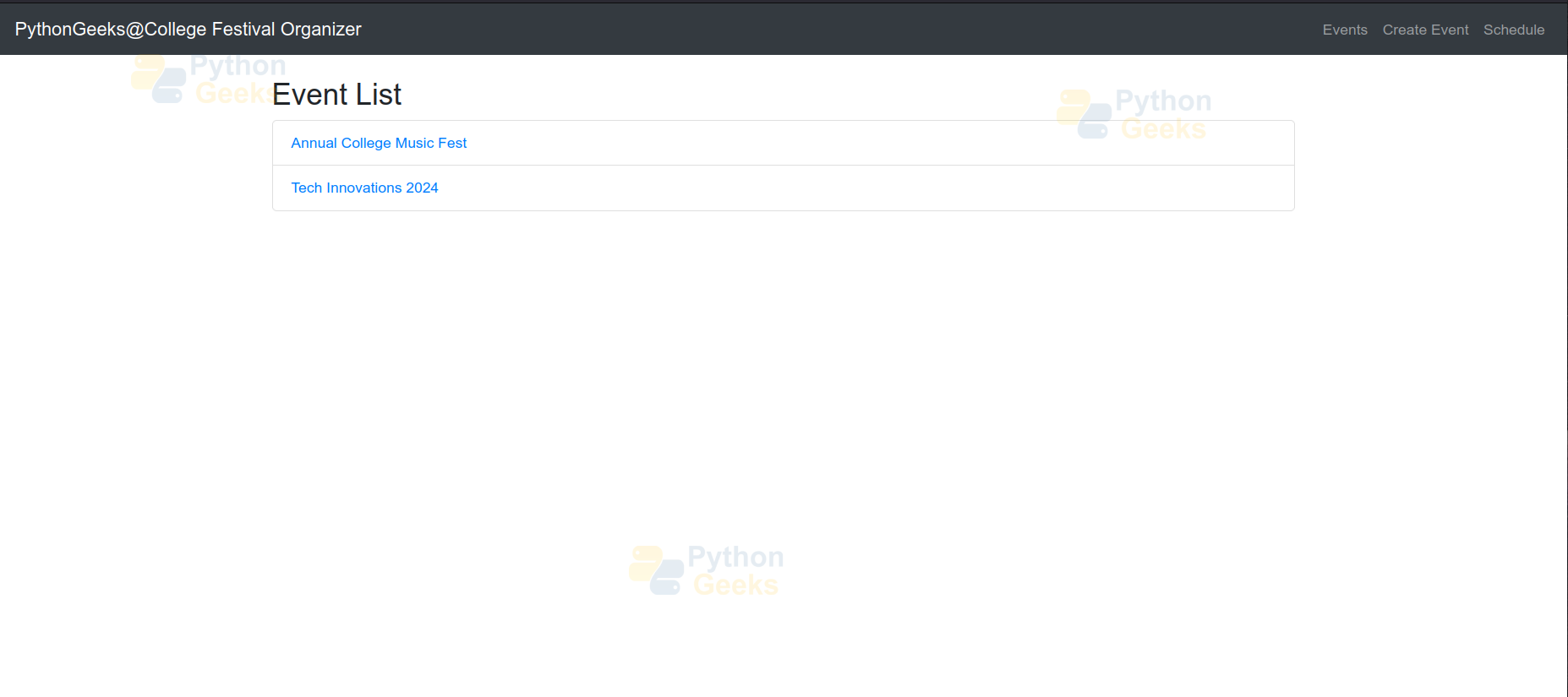
event_list.html
- This template inherits from the base template to maintain a consistent layout.
- {% block title %}Event List{% endblock %} sets the title of the page to “Event List.”
- {% for event in events %} loops through events, generating a list of event details.
{% extends 'festival/base.html' %}
{% block title %}Event List{% endblock %}
{% block content %}
<h2>Event List</h2>
<ul class="list-group">
   {% for event in events %}
       <li class="list-group-item">
           <a href="{% url 'event_detail' event.id %}">{{ event.title }}</a>
       </li>
   {% endfor %}
</ul>
{% endblock %}
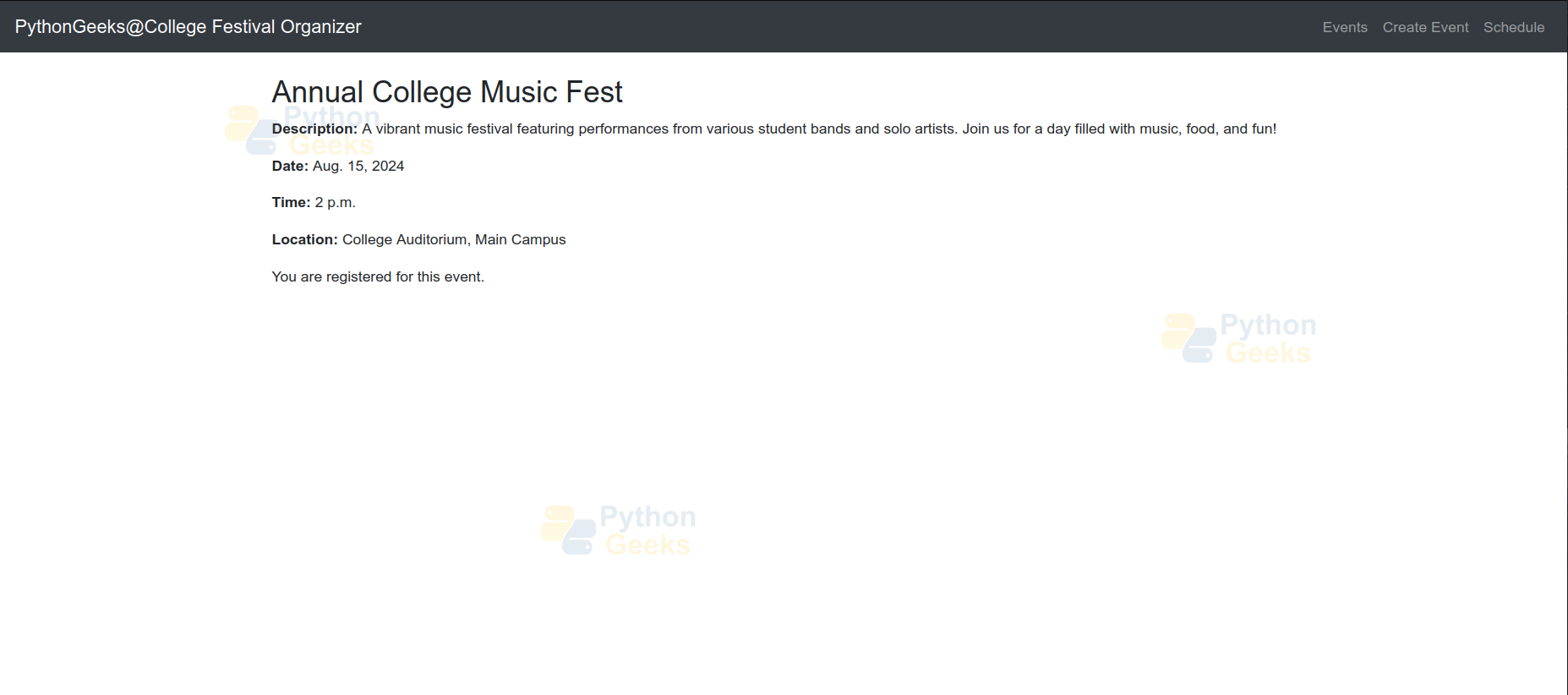
event_detail.html
- This template inherits from the base template to maintain a consistent layout.
- {% block title %}Event Detail{% endblock %}: Sets the page title to “Event Detail.”
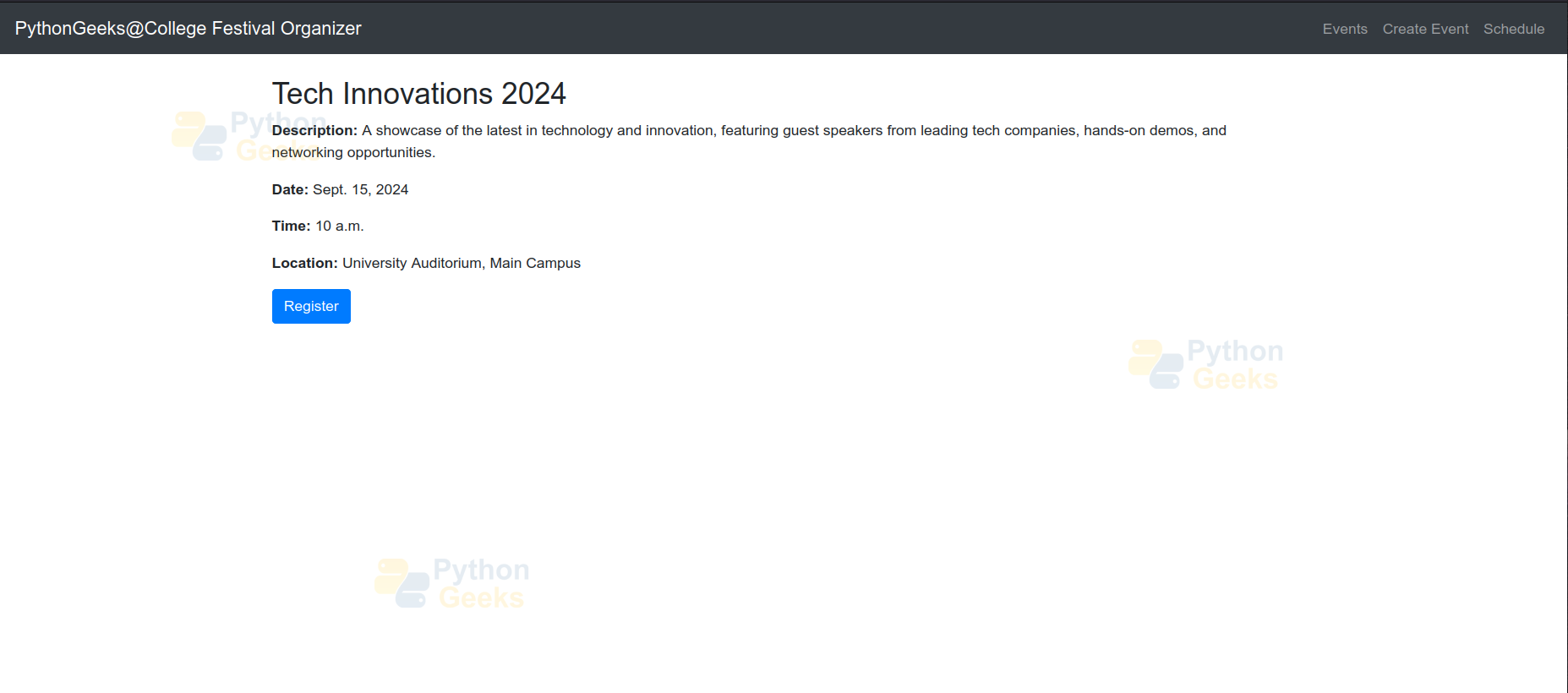
- {% if registered %} section shows a registration message if the user is already registered; otherwise, it provides a button to register for the event.
{% extends 'festival/base.html' %}
{% block title %}Event Detail{% endblock %}
{% block content %}
<h2>{{ event.title }}</h2>
<p><strong>Description:</strong> {{ event.description }}</p>
<p><strong>Date:</strong> {{ event.date }}</p>
<p><strong>Time:</strong> {{ event.time }}</p>
<p><strong>Location:</strong> {{ event.location }}</p>


{% if registered %}
   <p>You are registered for this event.</p>
{% else %}
   <a href="{% url 'register_for_event' event.id %}" class="btn btn-primary">Register</a>
{% endif %}
{% endblock %}
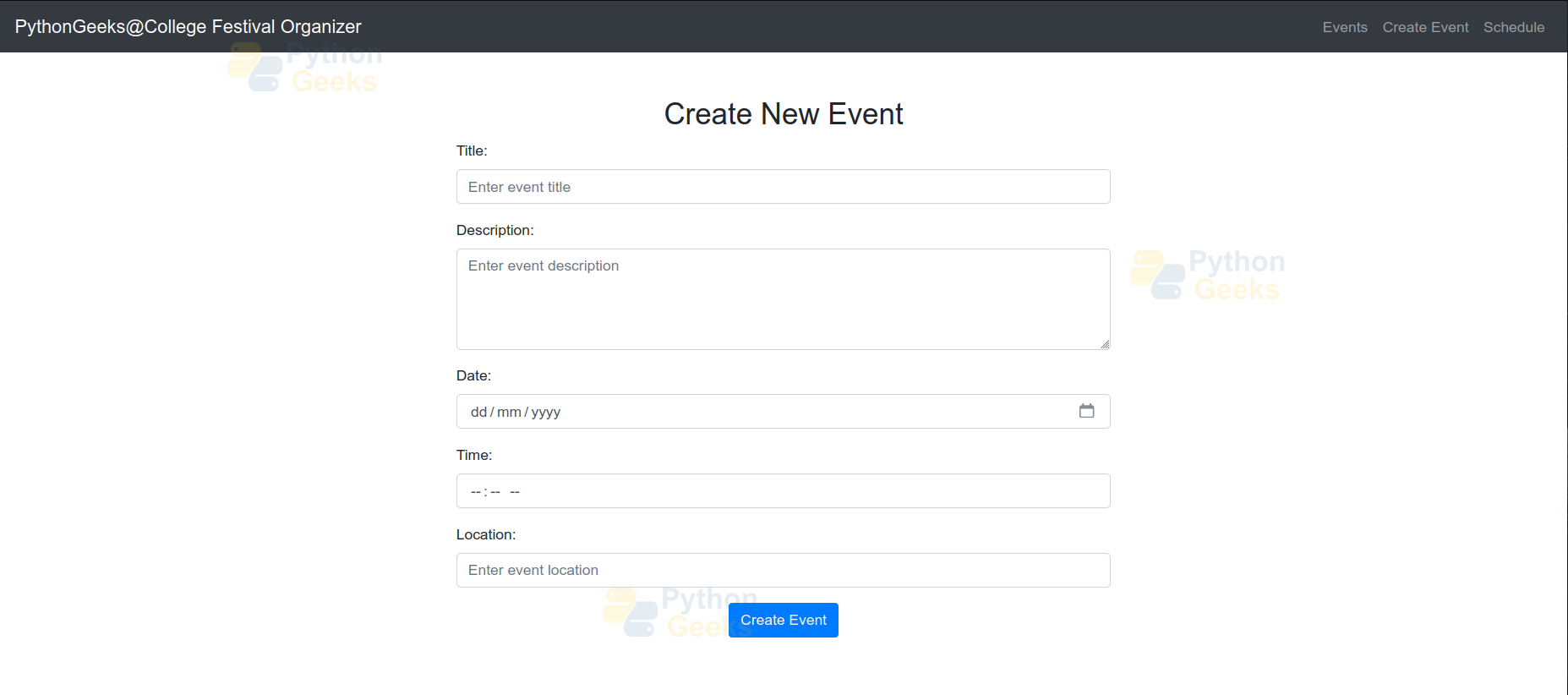
event_form.html
- It inherits from the base template to keep the layout consistent across pages.
- The title of the page is “Create Event,” which uses the {% block title %}.
- <form method=”post”> contains input fields for event details (title, description, date, time, location) with proper labels and placeholders.
- It includes a submit button styled as a primary button to submit the form and create a new event.
{% extends 'festival/base.html' %}


{% block title %}Create Event{% endblock %}


{% block content %}
<div class="container mt-5">
   <h2 class="text-center">Create New Event</h2>
   <div class="row justify-content-center">
       <div class="col-md-8">
           <form method="post" class="form-horizontal">
               {% csrf_token %}
               <div class="form-group">
                   <label for="title" class="form-label">Title:</label>
                   <input type="text" id="title" name="title" class="form-control" placeholder="Enter event title" required>
               </div>
               <div class="form-group">
                   <label for="description" class="form-label">Description:</label>
                   <textarea id="description" name="description" class="form-control" rows="4" placeholder="Enter event description" required></textarea>
               </div>
               <div class="form-group">
                   <label for="date" class="form-label">Date:</label>
                   <input type="date" id="date" name="date" class="form-control" required>
               </div>
               <div class="form-group">
                   <label for="time" class="form-label">Time:</label>
                   <input type="time" id="time" name="time" class="form-control" required>
               </div>
               <div class="form-group">
                   <label for="location" class="form-label">Location:</label>
                   <input type="text" id="location" name="location" class="form-control" placeholder="Enter event location" required>
               </div>
               <div class="form-group text-center">
                   <button type="submit" class="btn btn-primary">Create Event</button>
               </div>
           </form>
       </div>
   </div>
</div>
{% endblock %}
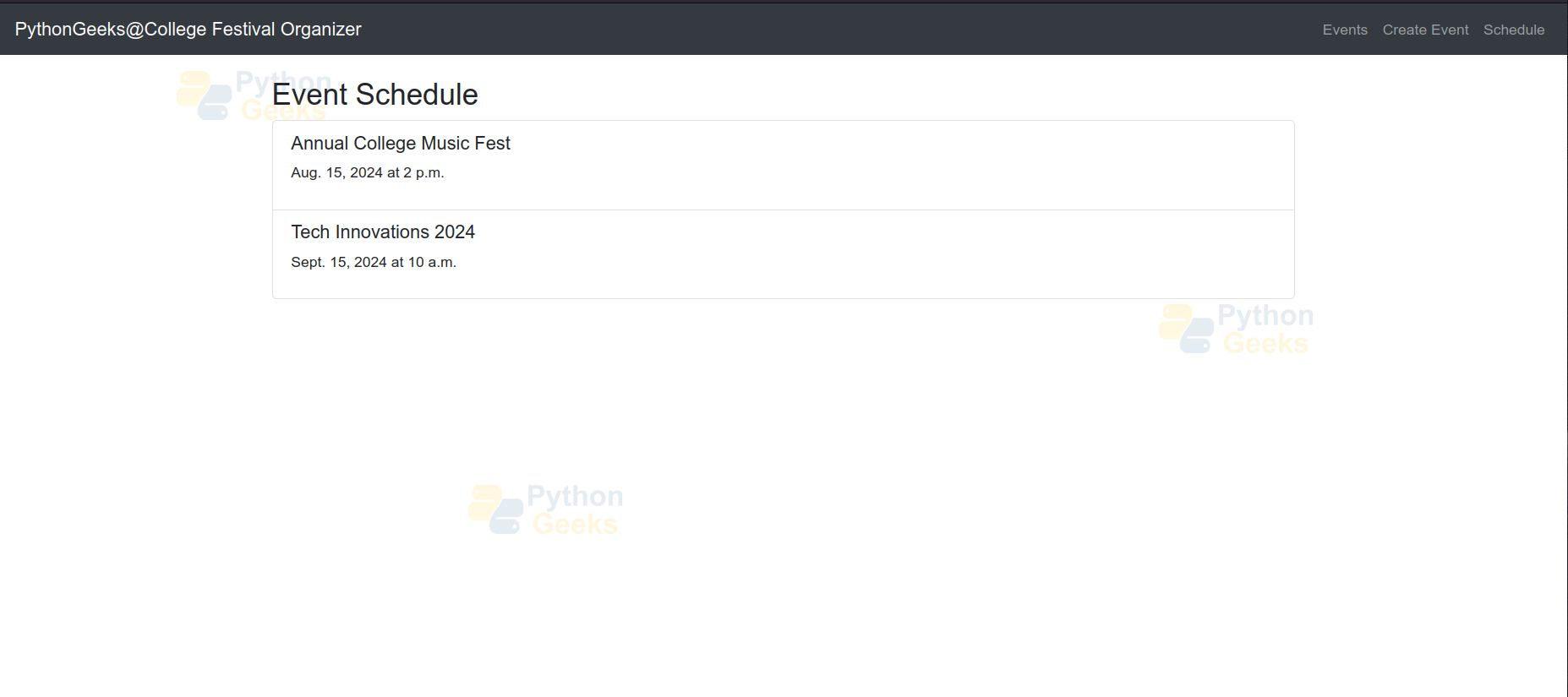
schedule.html
- {% extends ‘festival/base.html’ %} is used to ensure consistent layout.
- {% block title %} sets the page title to “Event Schedule.”
- This template displays a list of events with their titles and scheduled times.
- {% for event in events %} iterates through each event and formats it within a list item.
{% extends 'festival/base.html' %}
{% block title %}Event Schedule{% endblock %}
{% block content %}
<h2>Event Schedule</h2>
<ul class="list-group">
   {% for event in events %}
       <li class="list-group-item">
           <h5>{{ event.title }}</h5>
           <p>{{ event.date }} at {{ event.time }}</p>
       </li>
   {% endfor %}
</ul>
{% endblock %}
Django College Festival Organiser Output
1. Application Interface
2. Create Event Page
3. Detail of Event Page
4. Event Schedule Page
 5. Register for Event Page
Conclusion
The College Festival Organizer provides a solution for managing college events. It incorporates user-friendly features for creating, viewing, and registering for events. The application leverages the Django framework to ensure an efficient and responsive design, making it an effective tool for college festival management.
