
Canny Edge Detection using OpenCV
From learning to earning – Courses that prepare you for job - Enroll now
In this article, we’ll be understanding the canny edge detection algorithm in OpenCV. But firstly, let us see what is edge detection. Let’s start!!
What is Edge Detection?
Edge detection is an important image-processing technique for computer vision tasks, where the boundaries or regions of an object are identified within an image. Edges are an essential feature to understand the structure of any given image. Computer vision processes extensively make use of edge detection in various applications.
Edge detection is a pre-processing technique used to simplify the image data so that fewer amounts of data have to be processed. Edges in an image are defined by the sudden change in the value of pixel intensity. Canny edge detection is a relatively popular and complex multi-stage algorithm for the detection of a wide range of edges in an image.
Canny edge detection in OpenCV
It is an image processing technique used to extract the structural information of different objects and reduce the amount of data to be processed for any given image. The Canny edge detection technique works on the gradient magnitude of a smoothed image: Local maxima with high gradient values are categorized as edges.
The Canny edge detector was designed to derive an optimal operator that will minimize the probability of detecting multiple edges for an object, reduce the probability of not detecting any edge and minimize the distance between the true edge and predicted edge.
Working of the Canny edge detection algorithm
The algorithm follows a four-stage process for the extraction of edges of any given image. The steps followed by the algorithm include:
1. Noise reduction (blurring or smoothening of an image)
2. Calculation of intensity gradient
3. Suppression or removal of false edges detected
5. Hysteresis thresholding
We’ll understand these processes one by one.
1. Noise Reduction
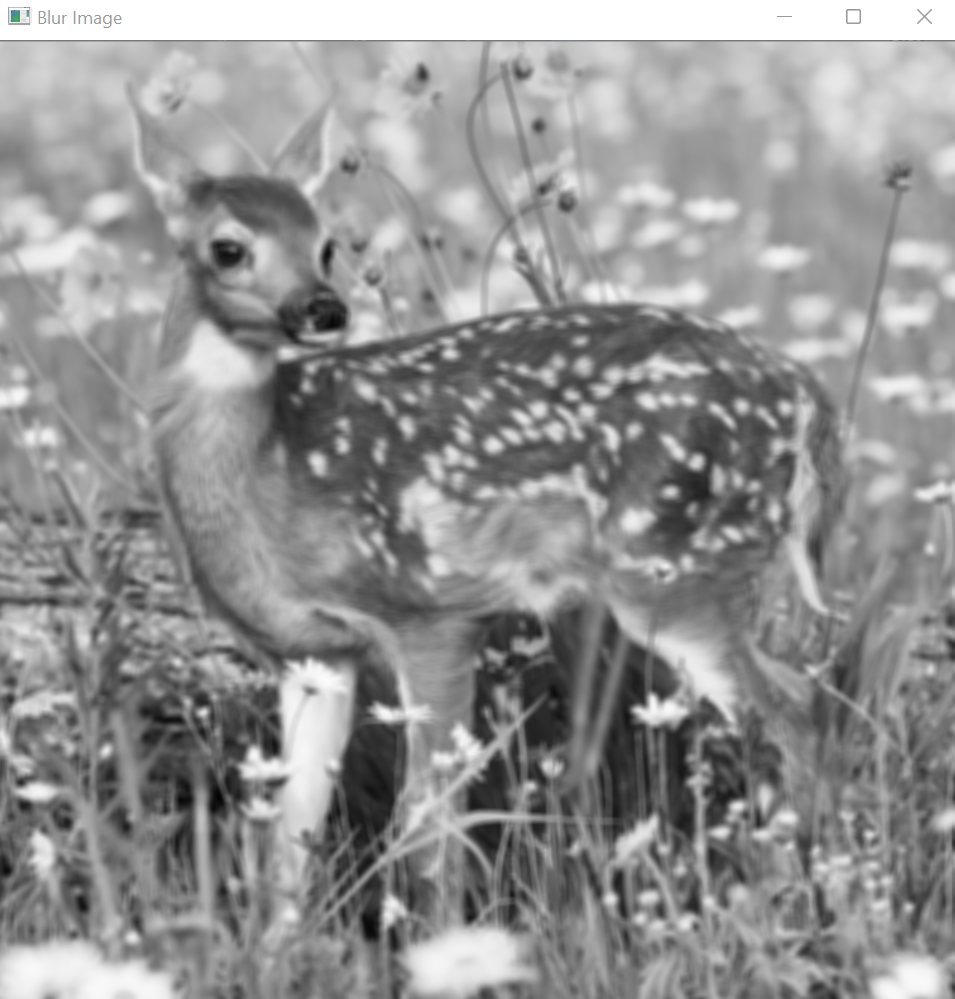
Any raw input image contains pixels with noisy edges and hence it becomes essential to reduce the noise of the edges before the application of a Canny edge detector to reduce the scope of error. Blurring techniques are applied to remove or minimize the unnecessary details in any image that could lead to an undesirable output.
2. Calculation of intensity gradient
After the smoothing/blurring of the raw input image, the image gets filtered with a Sobel kernel for both x and y derivatives. The output of the filtering operations is used to calculate the intensity gradient of the image and the direction for each pixel.
The intensity gradient magnitude is represented as (G) and the direction for each pixel is represented as θ(theta)

θ=tan-1(Gx/Gy)
3. Suppression or removal of false edges detected
After we have smoothened the image and derived the intensity gradient and the direction for the pixel, the algorithm will apply the non-maximum technique for the suppression of false edges. The technique essentially filters out the unwanted pixels which do not constitute an edge of any object or region in the image. To achieve this task, each pixel of the image is compared to its adjacent pixels, in both the positive and negative gradient directions.
If the calculated gradient magnitude of a pixel is greater than its neighboring pixels, then the current pixel is left unchanged otherwise the magnitude for the current pixel is set to zero.
4. Hysteresis Thresholding
In Hysteresis thresholding, the gradient magnitudes of the pixels are compared to two given threshold values and the following rules are obeyed:
1. If the value for the gradient magnitude is greater than the threshold value, the pixels are termed as strong edges and are included in the final map.
2. If the value for the gradient magnitude is less than the threshold value, the pixels are suppressed and are excluded from the final map.
3. The pixels for which the value of the gradient magnitude falls between the two given threshold values are termed as weak edges and they may or may not be added to the edge map.
4. If the weak pixels are adjacent to the strong edges, then the weak pixels are included in the edge map.
OpenCV executes all four processes using the cv2.Canny() function. The first parameter that the function takes is the source image on which we’ll be working. The second and third parameters for the function are minVal and maxVal. The fourth parameter specifies the size of the Sobel kernel.
By default, the size for the Sobel kernel is 3. The final parameter specifies the equation for calculating the gradient magnitude. If it is set as True, it uses the equation mentioned above, otherwise, the given function is: (G)=|Gx|+|Gy|. By default, the parameter is set to False.
Syntax
cv2.Canny(src, threshold1, threshold2, edges, apertureSize, L2gradient)
Parameters
- src: It is the input image or the source image
- threshold1: The first threshold value for hysteresis thresholding
- threshold2: The second threshold value for hysteresis thresholding
- edges: The output edge map that includes all the pixels mapped as strong edges or the weak edges included in the final map.
- apertureSize: It is the size of the kernel for the Sobel operator
- L2gradient: It is a flag that indicates the equation used for the calculation of the gradient magnitude.
Implementation
# Importing OpenCV
import cv2

# Reading the image
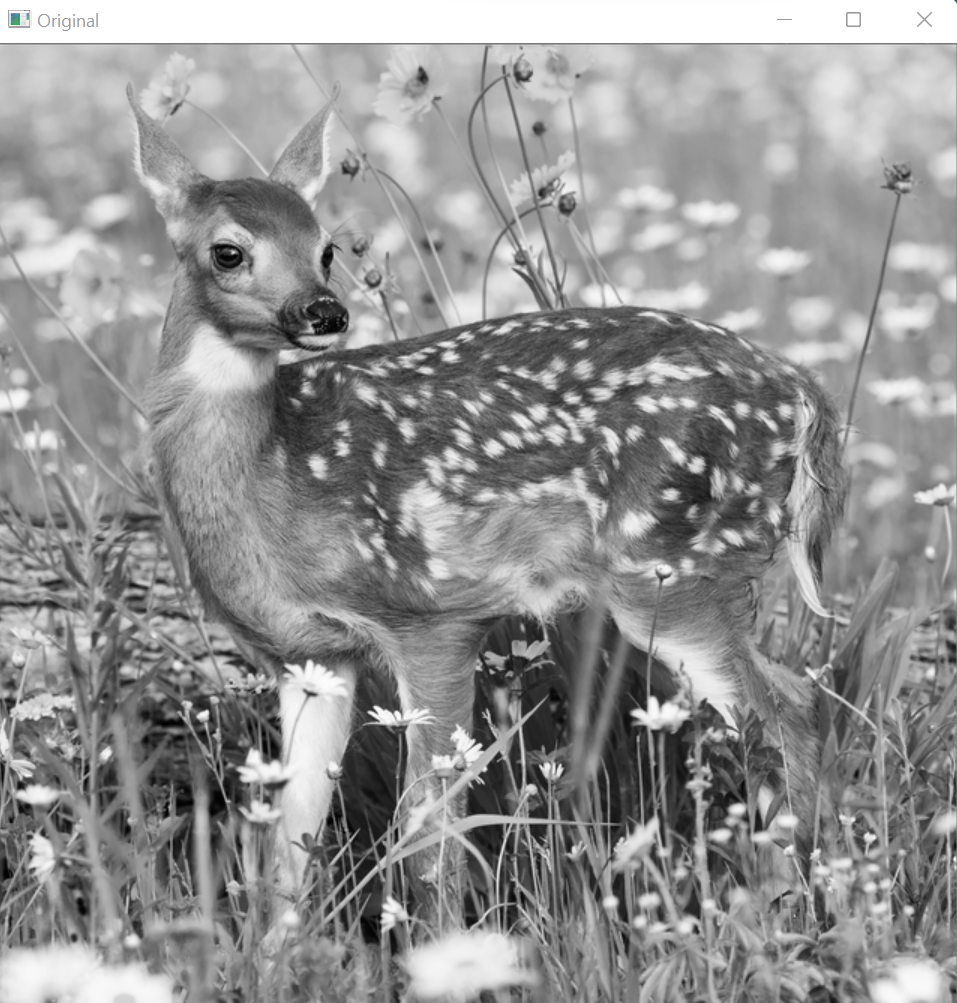
img = cv2.imread(r"C:\Users\tushi\Downloads\PythonGeeks\deer.png", 0)

# Displaying the image
cv2.imshow('Original',img)
cv2.waitKey(0)
cv2.destroyAllWindows()
# Smoothing the image by applying a blur filter
img = cv2.blur(img, (5, 5))

# Displaying the blurred image
cv2.imshow('Blur Image',img)
cv2.waitKey(0)
cv2.destroyAllWindows()
# Applying canny edge detection using cv2.Canny function
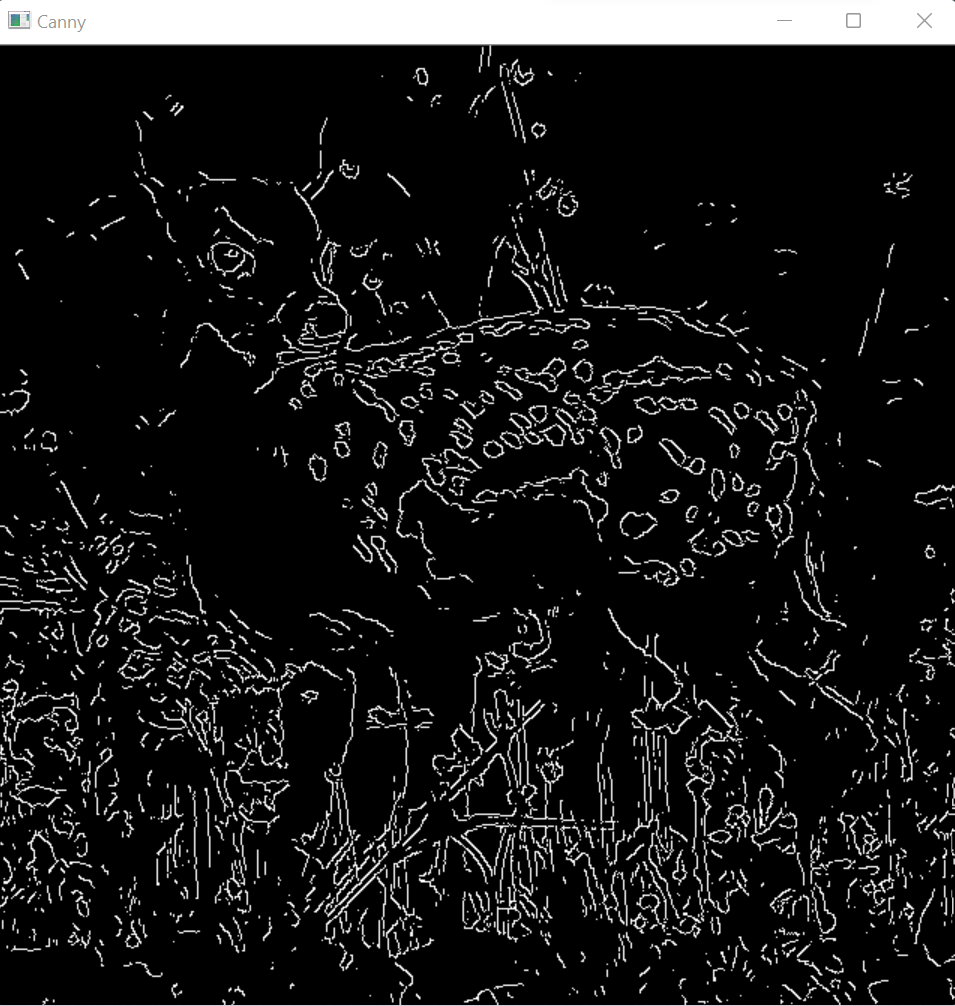
img_canny = cv2.Canny(image=img, threshold1=127, threshold2=127)

# Displaying the canny image
cv2.imshow('Canny',img_canny)
cv2.waitKey(0)
cv2.destroyAllWindows()
ApertureSize and L2gradient in OpenCV
Canny image with apertureSize
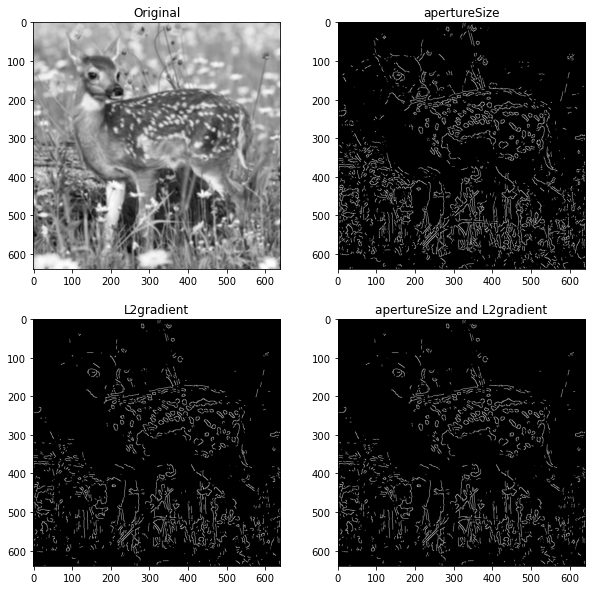
It is the size of the kernel for the Sobel operator to calculate the gradient. This parameter is Optional. By default, the value for the kernel is 3. The value for apertureSize has to be an odd value between 3 and 7. The greater value for apertureSize indicates greater detection of features in the image.
Canny image with L2gradient
It is a flag that indicates the equation used for the calculation of the gradient magnitude. It is an Optional parameter.
or
G=|Gx|+|Gy|
Implementation
# Importing OpenCV
import cv2

# Importing matplotlib.pyplot
import matplotlib.pyplot as plt

# Reading the image
img = cv2.imread(r"C:\Users\tushi\Downloads\PythonGeeks\deer.png", 0)

# Smoothing the image by applying a blur filter
img = cv2.blur(img, (5, 5))

# Applying canny edge detection using cv2.Canny function
# Setting the apertureSize
img_aperture = cv2.Canny(image=img, threshold1=127, threshold2=127, apertureSize=3)

# Setting the L2gradient
img_L2 = cv2.Canny(image=img, threshold1=127, threshold2=127, L2gradient=True)

# Setting both the apertureSize and L2gradient
img_canny = cv2.Canny(image=img, threshold1=127, threshold2=127, apertureSize=3, L2gradient=True)

# Setting the grid size
plt.figure(figsize=(10,10))

# Displaying the images
plt.subplot(221)
plt.title('Original')
plt.imshow(img, cmap='gray')

plt.subplot(222)
plt.title('apertureSize')
plt.imshow(img_aperture, cmap='gray')

plt.subplot(223)
plt.title('L2gradient')
plt.imshow(img_L2, cmap='gray')

plt.subplot(224)
plt.title('apertureSize and L2gradient')
plt.imshow(img_canny, cmap='gray')
Conclusion
Through this article, we understood what edge detection is in image processing and its significance. We discussed the Canny edge detection algorithm and understood in depth the working process of the technique. We understood the significance of the apertureSize and L2gradient parameters for enhanced edge detection using the canny function in OpenCV. Furthermore, we strengthened our concepts by implementing the function in OpenCV.
